Using Ask Axis
Ask Axis is your built-in AI assistant. It can help you manage customers, create protocols, look up orders, generate documents, and much more — all through natural conversation.
Getting Started
You can access Ask Axis two ways:
- Click Ask Axis in the sidebar under Overview.
- Click the floating Ask Axis button in the bottom-right corner of any page.
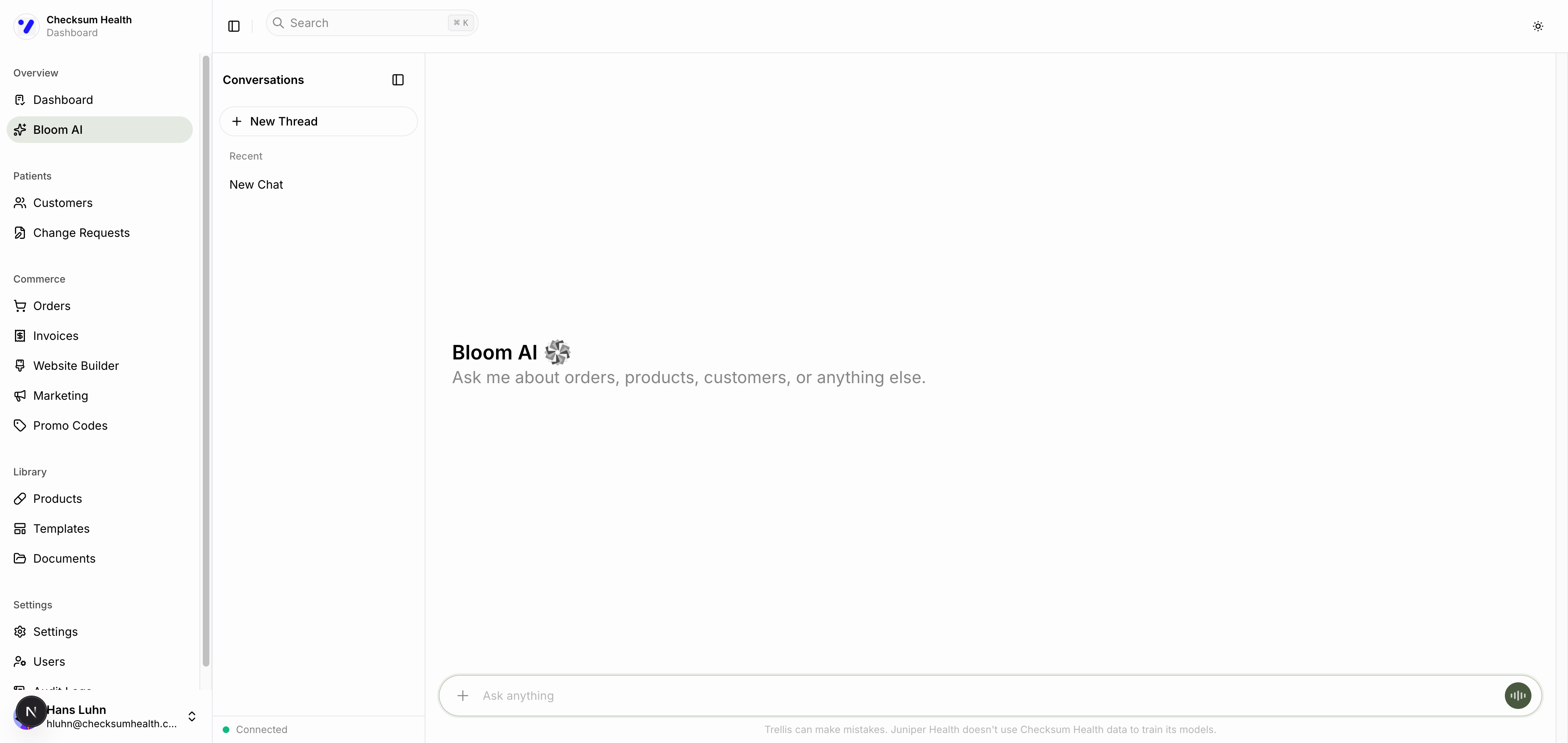
The Interface
- Left panel — Your conversation history. Click New Thread to start a fresh conversation.
- Main area — The chat window. Type your message and press Enter.
- Connected indicator — Shows that the AI assistant is online and ready.
- Attachment button — Attach files to your messages.
- Voice button — Start a voice session.
What Ask Axis Can Do
Customer Management
- "Create a new customer named Jane Smith with email jane@example.com"
- "Look up the customer with email john@example.com"
- "Update Jane Smith's phone number to 555-1234"
Product Search
- "Find products for gut health"
- "What omega-3 supplements do you have?"
- "Recommend supplements for a patient with low vitamin D"
Protocol Creation
- "Create a protocol for Jane Smith with Vitamin D Supreme and CoQ10"
- "Add Omega-3 Fish Oil to Jane Smith's protocol"
Subscription Management
- "Pause Jane Smith's subscription"
- "Cancel the subscription for john@example.com"
- "Skip the next delivery for Jane Smith"
Order Management
- "Show me recent orders"
- "Create a one-time order for Jane Smith with Creatine"
Document Generation
- "Create a patient handout for Vitamin D Supreme"
- "Generate a marketing infographic for Kava Kava"
- "Create a clinical summary for CoQ10"
Website Content
- "Write a hero section for my wellness website"
- "Import my existing website at www.mypractice.com"
- "Generate an about section for my practice"
Research
- "Search for recent research on magnesium glycinate for sleep"
- "What are the benefits of berberine for blood sugar?"
Tips for Better Results
- Be specific — "Create a protocol for Jane Smith" works better than "make a protocol."
- Name the patient — Include the patient's name so Ask Axis can look them up.
- Combine tasks — "Create a customer named Jane Smith and then create a gut health protocol for her."
- Ask follow-up questions — The conversation maintains context, so you can refine as you go.
Limitations
- Ask Axis cannot process payments or issue refunds directly.
- It does not provide medical advice — it helps with administrative tasks.
- It cannot access data from other practices — only your account.