Navigating the Portal
The DailyStak portal is organized into a left sidebar for navigation and a main content area. Here is a quick tour of what you will find.
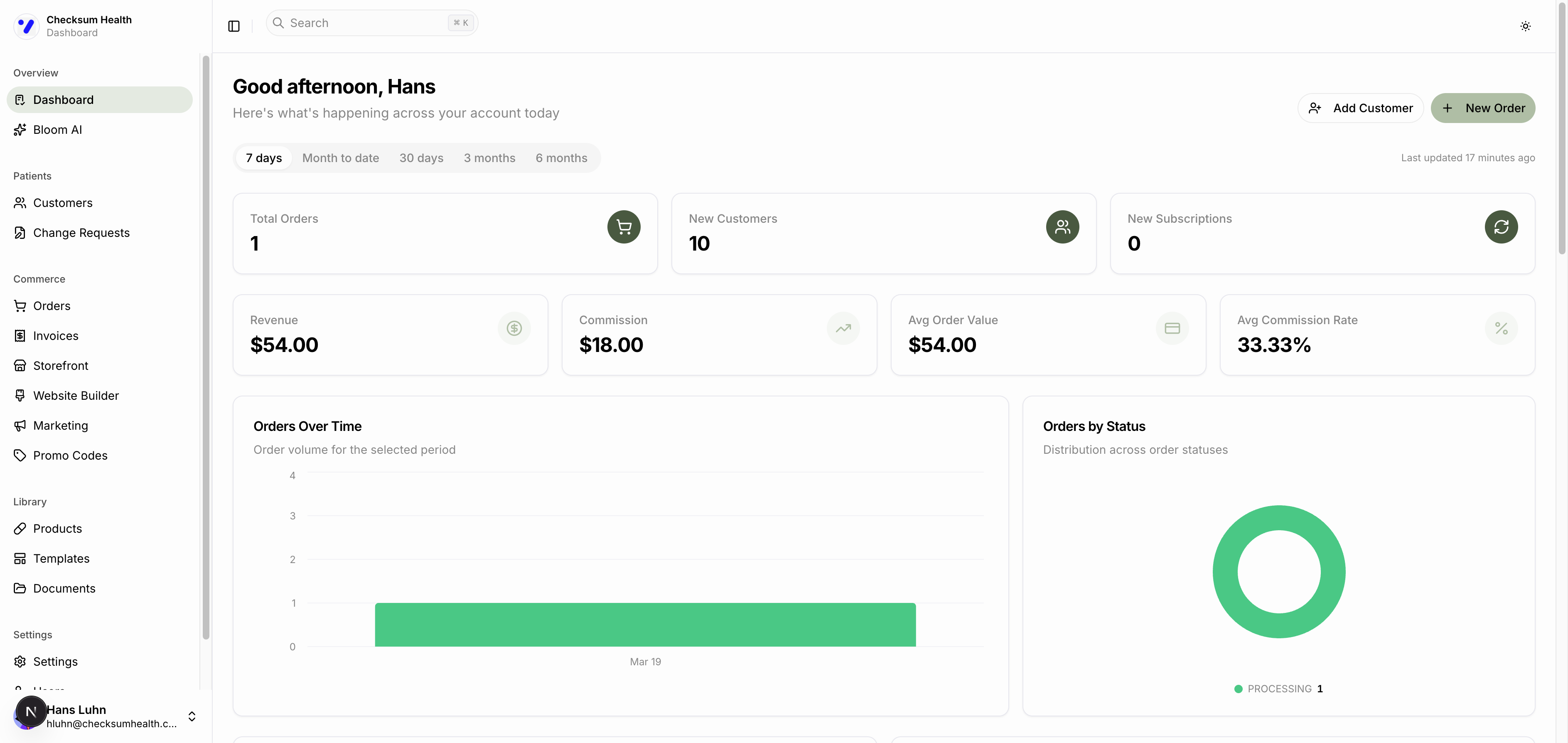
Sidebar Sections
The sidebar is divided into five groups:
Overview
- Dashboard — Your metrics, charts, and recent activity at a glance.
- Ask Axis — Your AI-powered assistant for managing tasks through conversation.
Patients
- Customers — View, add, import, and manage your patient records.
- Change Requests — Review pending protocol modifications.
Commerce
- Orders — Track and manage all orders.
- Invoices — View and download your billing invoices.
- Storefront — Manage your online product catalog, featured products, and analytics.
- Website Builder — Build and publish your marketing website with a drag-and-drop editor.
- Marketing — Create and manage email campaigns.
- Promo Codes — Create and track discount codes.
Library
- Products — Browse the full DailyStak supplement catalog.
- Templates — Create and manage reusable protocol templates.
- Documents — Upload and manage patient handouts and other files.
Settings
- Settings — Configure branding, pricing, storefront, domains, notifications, and more.
- Users — Invite and manage team members.
- Audit Logs — View a history of actions taken in your account.
Header Bar
At the top of every page you will find:
- Search (⌘K) — Quickly search across your portal.
- Theme toggle — Switch between light and dark mode.
Ask Axis Button
A floating Ask Axis button appears in the bottom-right corner of most pages. Click it to open the AI assistant without leaving your current page.
Your Account Menu
Click your name in the bottom of the sidebar to access your account menu, including sign out.