Customizing Your Branding
Your branding appears on checkout pages, patient emails, and the customer portal. Customize it to create a seamless experience under your practice's identity.
Getting There
- Click Settings in the sidebar.
- Select Branding from the settings navigation.
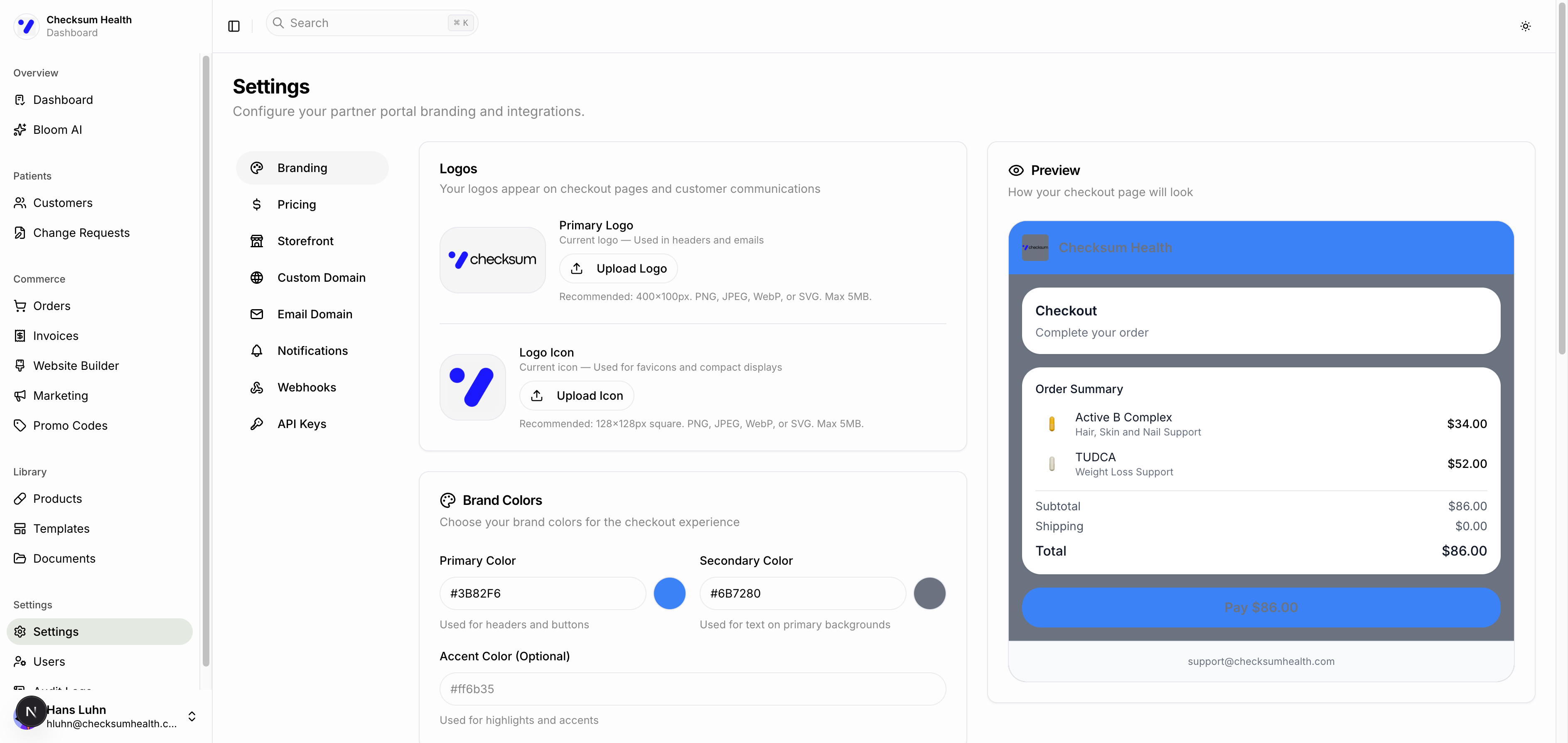
Logos
Upload two versions of your logo:
| Logo Type | Where It Appears | Recommended Size |
|---|---|---|
| Primary Logo | Headers, emails, checkout pages | 400 x 100px |
| Logo Icon | Favicons, compact displays | 128 x 128px |
Supported formats: PNG, JPEG, WebP, or SVG. Maximum file size: 5MB.
Click Upload Logo or Upload Icon to select a file from your computer.
Brand Colors
Set three colors using hex values (e.g., #3B82F6):
| Color | Used For |
|---|---|
| Primary | Headers and buttons. |
| Secondary | Text on primary backgrounds. |
| Accent (optional) | Highlights and accents. |
Contact Information
These details appear on checkout pages so patients know how to reach you:
- Support Email — Your practice support email.
- Support Phone (optional) — A phone number for patient inquiries.
- Website (optional) — Your practice website URL.
Billing Address
Your business billing address, used on invoices.
Checkout Preview
The right side of the page shows a live Preview of how your checkout page will look with your current branding — including your logo, colors, and sample order summary.
Click Save Changes after making updates.