Browsing the Product Catalog
The product catalog contains all of the professional-grade supplements available through DailyStak. You browse and select products for your patients — DailyStak handles inventory, packaging, and shipping.
Viewing the Catalog
- Click Products in the sidebar under Library.
- Browse the full catalog.
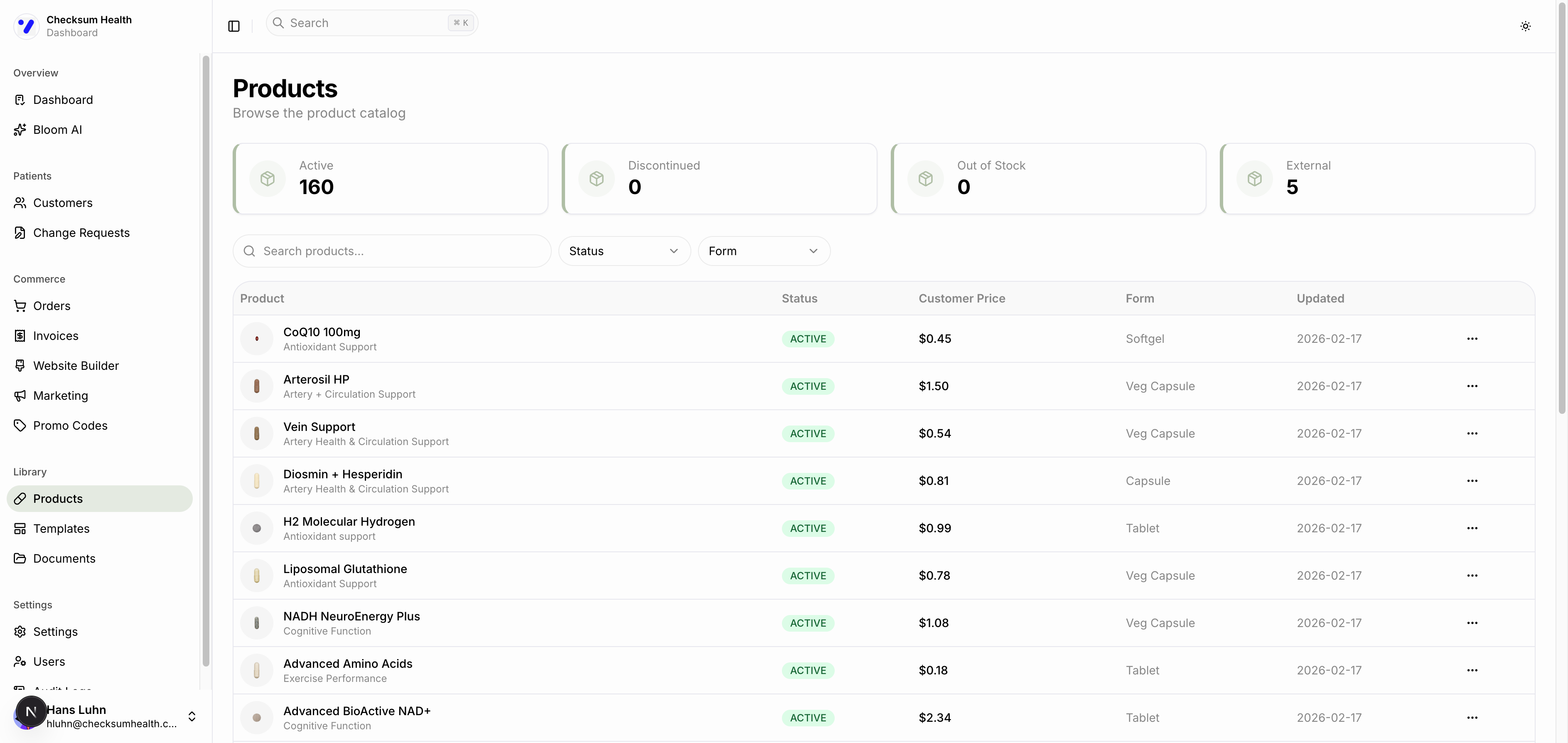
Status Cards
At the top of the page, summary cards show:
- Active — Products currently available for ordering.
- Discontinued — Products no longer available.
- Out of Stock — Temporarily unavailable.
- External — Products sourced outside the standard catalog.
Searching and Filtering
- Search — Type in the search bar to find products by name.
- Status filter — Filter by Active, Discontinued, or Out of Stock.
- Form filter — Filter by product form: Capsule, Veg Capsule, Softgel, Tablet, Powder, or Liquid.
Product Table
Each row in the table shows:
| Column | Description |
|---|---|
| Product | Product image, name, and category (e.g., "Antioxidant Support"). |
| Status | ACTIVE, DISCONTINUED, or OUT OF STOCK. |
| Customer Price | Price per unit your customers pay (based on your default discount). |
| Form | Physical form of the supplement. |
| Updated | Last time the product was updated. |
Viewing Product Details
Click any product row to open its detail page. Here you will find:
- Full supplement facts and ingredients.
- Certifications (GMP, Non-GMO, Vegan, etc.).
- Allergen information (Gluten-Free, Dairy-Free, etc.).
- Product description and usage recommendations.
tip
The catalog is managed by DailyStak. If you need a specific product that is not listed, reach out to your DailyStak representative.