Discounts and First-Order Promos
DailyStak offers several ways to offer discounts to your patients. Understanding how they interact helps you set up effective pricing.
Types of Discounts
1. Default Customer Discount
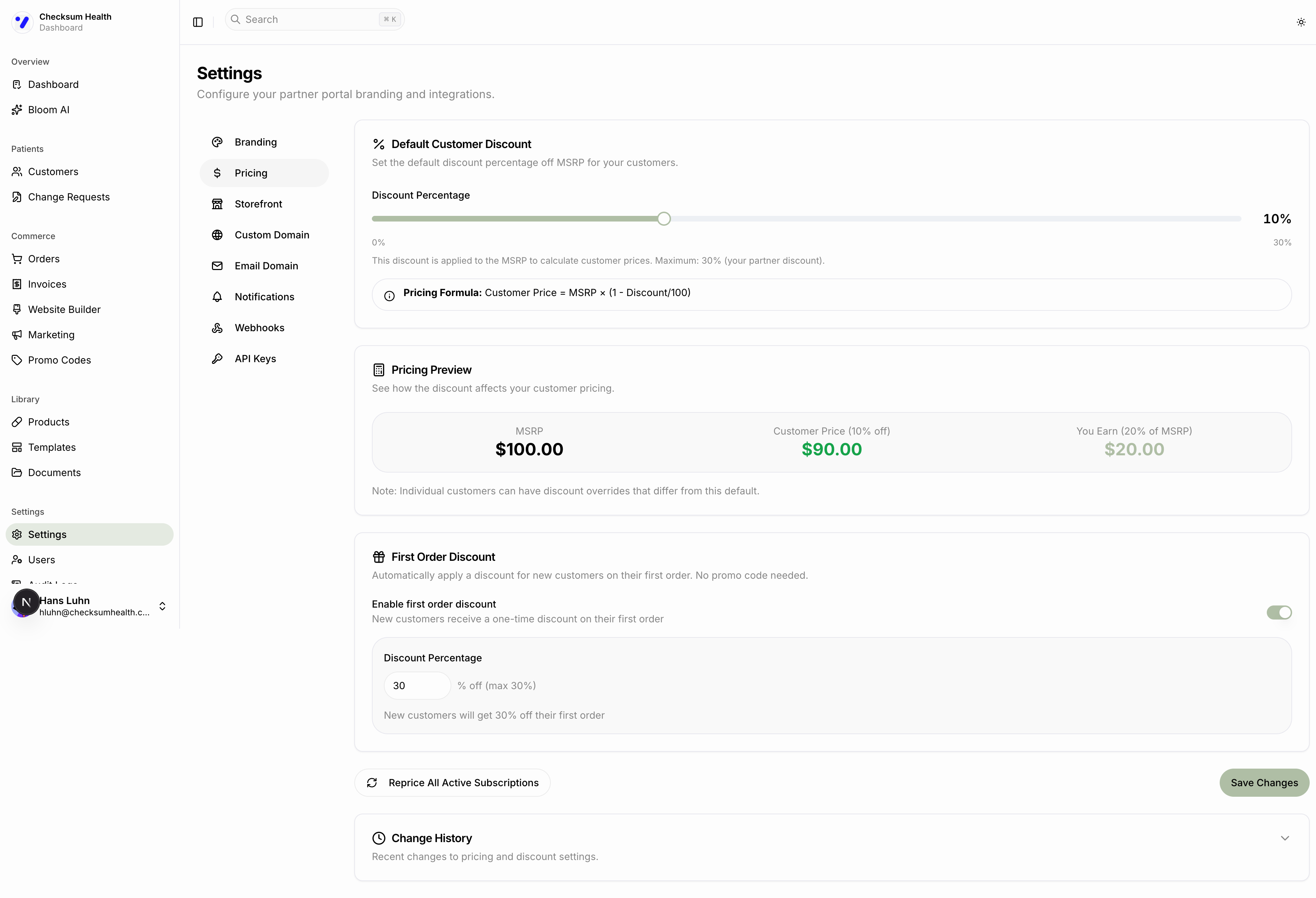
Set in Settings > Pricing. Applies to all customers unless overridden. This is the baseline discount off MSRP.
2. Per-Customer Discount Override
Set on individual customer profiles. Overrides the default for that specific patient. Use this for VIP patients or special pricing arrangements.
3. Storefront Discount
Set on the Storefront page. Applies specifically to purchases made through your online storefront. This can differ from your protocol discount.
4. First-Order Discount
An automatic discount for new customers on their first storefront order. No promo code needed.
To configure:
- Go to Settings > Pricing.
- Toggle Enable first order discount on.
- Set the discount percentage (up to your partner discount).
- Click Save Changes.
5. Promo Code Discounts
One-time codes patients enter at checkout. See Creating and Managing Promo Codes.
How Discounts Interact
When a patient has multiple discounts that could apply, DailyStak uses the better discount for the patient:
- If a promo code offers 20% and the customer's existing discount is 10%, the patient gets 20%.
- Discounts are not stacked — only the highest applies.
Repricing Active Subscriptions
If you change your default customer discount, existing subscriptions continue at their original price. To apply the new discount to all active subscriptions:
- Go to Settings > Pricing.
- Click Reprice All Active Subscriptions.
- Confirm the action.
Repricing affects all active subscriptions immediately. Patients will see the updated price on their next renewal.