How Pricing Works
DailyStak uses a straightforward pricing model based on three numbers: the product's MSRP, your partner discount, and the customer discount you offer.
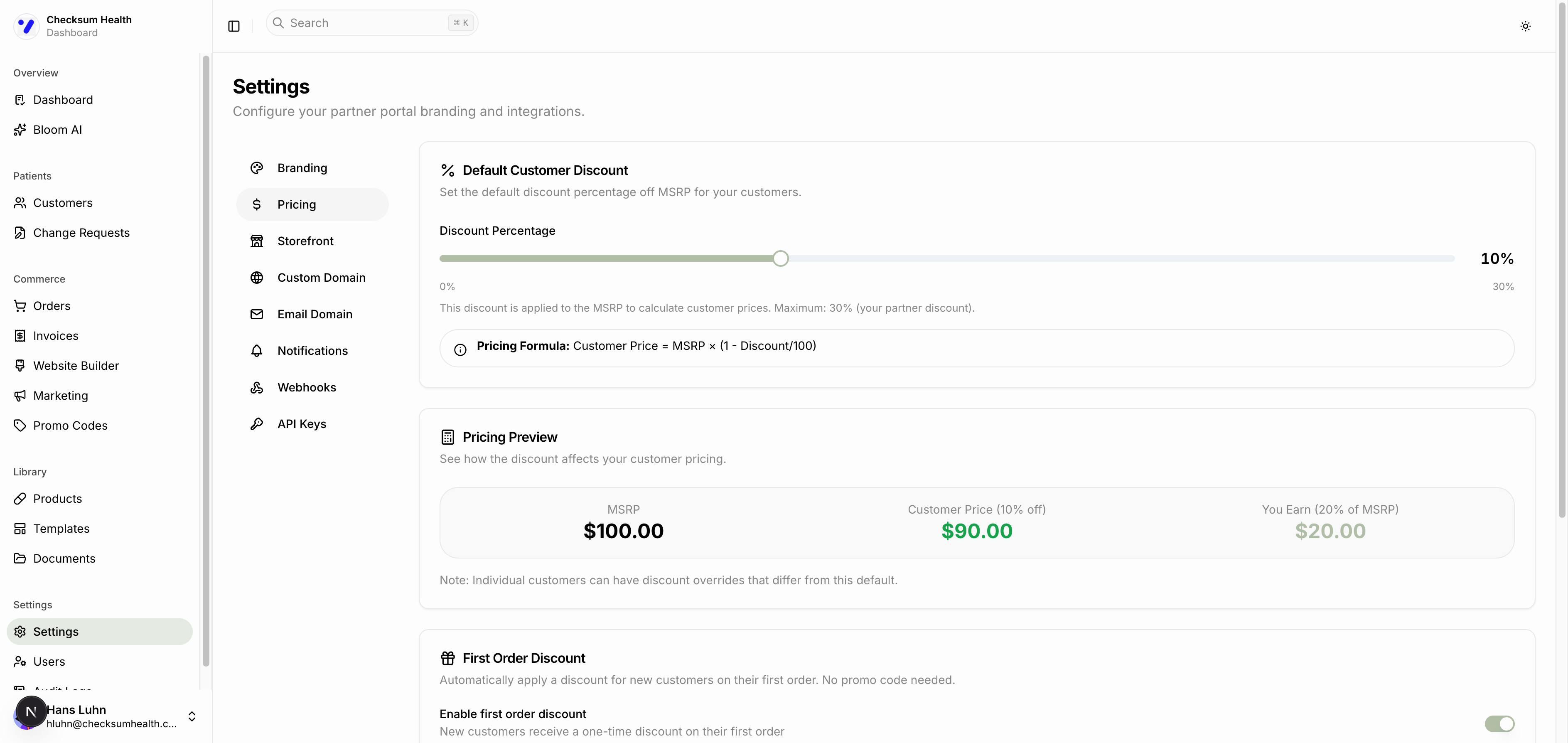
The Three Numbers
MSRP (Manufacturer's Suggested Retail Price)
The full retail price of each product, set by DailyStak.
Partner Discount
Your wholesale rate — the percentage off MSRP that you pay DailyStak. This is set when your account is created and represents your cost basis.
Customer Discount
The percentage off MSRP that your patients pay. You control this in Settings > Pricing.
The Formulas
| Formula | |
|---|---|
| Customer Price | MSRP x (1 - Customer Discount / 100) |
| Your Cost | MSRP x (1 - Partner Discount / 100) |
| Your Commission | Customer Price - Your Cost |
Worked Example
Using the pricing preview from Settings (with a 30% partner discount and 10% customer discount):
| Amount | |
|---|---|
| MSRP | $100.00 |
| Customer Price (10% off) | $90.00 |
| Your Cost (30% off) | $70.00 |
| Your Commission | $20.00 |
The customer pays $90. You pay DailyStak $70. You keep the $20 difference.
Adjusting the Default Discount
- Go to Settings > Pricing.
- Use the Discount Percentage slider to set your default customer discount (0% to your partner discount max).
- The Pricing Preview updates in real time to show the impact.
- Click Save Changes.
tip
Start with a moderate discount (10-15%) to balance patient satisfaction with healthy margins. You can always adjust later.